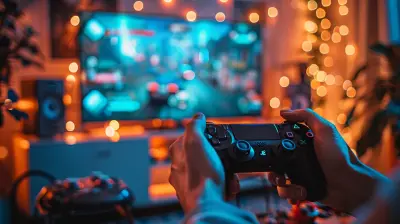
Training Your Reflexes with the Right Controller Setup
12 September 2026
Ever feel like your gaming reflexes just aren't keeping up in those intense clutch moments? You're not alone. Whether you're dodging bullets in an FPS, executing a perfect combo in a fighting game, or weaving between incoming attacks in a bullet hell shooter, having sharp reflexes is key. But here's the kicker—your reflexes are only as good as the tools you're using.
And when I say tools, I really mean your controller setup.
That’s right. The humble gaming controller—while often taken for granted—can be the make-or-break factor when it comes to boosting your reflexes. Let’s break down how you can train your reflexes and dial in the right controller setup that transforms your game from average to ace.
Why Reflexes Matter in Gaming
Reflexes in gaming go beyond just being fast. It’s about reacting to changes on-screen quickly and accurately. Think about it like this: your hands are the soldiers, but your controller is the battlefield. If the terrain is rough, your soldiers won’t perform well no matter how skilled they are, right?A proper controller setup ensures that there is no lag between your decision-making and your in-game movement. And that, my friend, can be the difference between victory and respawning.
Understanding Reaction Time vs. Reflexes
Before we dive into controller setups, let’s get something straight—reaction time and reflexes are cousins, not twins.- Reaction Time is how fast you respond to a stimulus (like someone jumping out at you in a horror game).
- Reflexes are more instinctual movements—almost like muscle memory you build up over repeated actions.
So, when you’re gaming, you need lightning-fast reaction time and trained reflexes that work hand-in-hand. Both can be trained. And your controller? That’s your training partner.
The Link Between Controller Setup and Reflex Training
Alright, let's connect the dots: why should you care about your controller setup if you want to improve your reflexes?Simple. Bad ergonomics, slow response time, or misplaced buttons can throw your timing off. You can't expect to master parrying in Sekiro or headshots in Apex Legends if your controller doesn't respond the way your brain and fingers want it to.
The right controller:
- Feels natural in your hands
- Has responsive buttons/triggers
- Allows for fast thumb movement
- Can be customized to suit your playstyle
All these add up to smoother gameplay, and smoother gameplay means better reflex training.
Choosing the Right Controller for Your Game Type
Different games demand different skills, and believe it or not, not all controllers are built equal. Here's how to match your controller to your genre:? FPS (First-Person Shooters)
You need precision and speed. Controllers with:- Tactile triggers
- Low latency
- Custom paddles (like the SCUF or Elite Series controllers)
These let you jump, crouch, or reload without ever taking your thumbs off the sticks. That’s big for reflex-based movements.
⏱️ Fighting Games
Timing is everything here. You want:- Short actuation buttons
- Arcade fight sticks (if you’re really serious)
- Compact layouts
The faster your inputs register, the faster your reflexes improve.
? Platformers & Action Games
For these, it’s all about fluidity. A controller with:- Responsive D-pad
- Comfortable grip
- Good stick sensitivity
will keep you on your toes, quite literally.
?️ Racing Games
Reaction time is king. A controller with:- Vibration feedback
- Analog triggers
- Solid grip for long sessions
will help you anticipate turns and recover from spins faster.
Button Mapping: Your Secret Weapon
Custom button mapping is criminally underused. Most modern consoles and controllers now allow you to remap your buttons. Use it.Ask yourself:
- What actions do I perform the most?
- Which fingers can do more work?
- Which buttons feel awkward to press?
If jumping or aiming requires awkward finger gymnastics, you're slowing yourself down. Remap your keys to reduce travel time between actions. It's like rearranging your room so everything you need is within arm’s reach.
Think of it this way: Would you run a race in shoes that don’t fit? Then why play in a controller setup that doesn’t match your hand habits?
Use Trigger Stops and Hair Triggers
Trigger stops limit the distance your trigger needs to be pressed to register an input. Hair triggers do the same but on a software level.For quicker reflexes:
- Enable hair triggers in your controller’s settings if possible
- Use physical trigger stops for faster shooting in FPS games
It’s a millisecond difference, but that split-second can be the difference between you getting the kill or getting killed.
Stick Sensitivity & Dead Zones
If you’ve messed around with your settings, you’ve probably seen these terms thrown around.- Stick sensitivity: How fast your input translates to movement
- Dead zone: The small area where the stick is moved but nothing happens
To amp up your reflex training, reduce dead zones (so your stick responds the moment you move it) and fine-tune your sensitivity to match your reaction style.
Start low, experiment, and gradually increase as you get more comfortable.
Utilizing Back Paddles for Faster Inputs
Back paddles might seem like an overpriced gimmick, but once you try them, there’s no going back. Assign buttons you frequently use (like jump, reload, crouch) to them, and you’ll never need to lift your thumbs off the sticks mid-game.Imagine having extra fingers in the game. Why wouldn’t you take advantage of that?
Controllers like the Xbox Elite, SCUF, or Razer Wolverine let you map commands to these paddles. It’s like turbocharging your reflexes.
Comfort = Consistency = Better Reflexes
Let’s not forget the underrated hero of reflex training—comfort.If your controller setup causes you hand cramps or fatigue after 30 minutes, your reflexes are going to tank. Your brain might be sharp, but if your hands aren’t following through, you’re toast.
Look out for:
- Grip design: Textured or rubber for non-slip handling
- Weight balance: Not too heavy, not too light
- Wrist support: Avoid awkward angles that strain your joints
Pro tip: Invest in controller grips or ergonomic extensions if your controller doesn’t quite fit your hand.
Train Daily—But Train Smart
Just like going to the gym, training your reflexes with your controller setup needs consistency. You’ll want to:- Practice movement drills in your favorite games
- Use reflex training apps (like Aim Lab or Kovaak’s)
- Warm up before serious matches
- Record and analyze your gameplay to pinpoint slow reactions
And most importantly, don’t just play aimlessly. Set small goals like "react to enemy peeks faster" or "dodge telegraphed attacks consistently."
Remember: Muscle Memory is Your Best Friend
Reflexes are like muscle memory for your brain. With the right controller setup, your fingers start to move before you even realize why.Ever watched a speedrunner or a pro gamer and thought, “How do they do that so fast?”
It’s not magic. It’s hours of repetition with a controller that feels like an extension of themselves.
You can get there, too. The right controller configuration becomes muscle memory, and muscle memory builds reactions that feel automatic.
Game-Specific Training: A Few Quick Tips
Here’s how you can use your controller setup to train reflexes in specific titles:- Call of Duty / Apex Legends / Warzone: Map jump and crouch to paddles. Reduce dead zones. Practice hip fire aim.
- Fortnite: Remap build functions to easy-to-reach buttons. Adjust visuals for better spotting.
- Rocket League: Focus on analog stick precision and remap boost to paddles.
- Dark Souls / Elden Ring: Set dodge/roll to a back button or an easier-to-reach input. Learn enemy attack tells, then react with practiced precision.
Final Thoughts: It’s Not Just Practice – It’s Preparation
Training your reflexes doesn’t mean grinding for 10 hours a day. It means preparing your body and your gear to respond faster than the competition.You already have the potential. Now give yourself the right controller setup to unlock it fully.
Because at the end of the day, gaming isn't just a matter of who clicks first. It's who clicks best—with the perfect controller tailored to their reflexes.
So go ahead. Tune your sticks. Remap those buttons. Upgrade your controller if you have to.
Your reflexes? They deserve the best.
all images in this post were generated using AI tools
Category:
Game ControllersAuthor:

Francesca West
Discussion
rate this article
1 comments
Sheena Fletcher
Stop blaming your reflexes-get your controller game on point!
September 25, 2026 at 2:50 AM